HForgeX Labs for Chrome
Focused browser tools for capture, OCR,
and cleaner handoffs
HForgeX Labs builds privacy-first Chrome extensions for people who work in tabs all day. Start with Screenshot & OCR, then add focused tools for the exact workflow friction you want to remove.
Signature Extension
Screenshot & OCR
The flagship HForgeX Labs tool for fast page capture, local OCR, and annotated handoffs without account friction.
- Capture selected areas, tabs, and full pages
- Extract text locally and keep your data on-device
- Mark up screenshots before sharing
Tools That Do One Thing Well
Each extension solves a specific workflow pain point — no feature creep, no learning curve.
Features
- Selected area, visible tab & full page capture
- Area-to-text OCR with local processing
- Basic annotations (rectangle, arrow, text label)
- Advanced annotations: Blur, Spotlight, QR, ruler, clock, hostnamePRO
- Post-OCR text cleanup with transforms and regex pipelinesPRO
- Snapshot library with grid, list, and timeline viewsPRO
- Custom watermark, filename templates, and output stylingPRO
- Multi-tab comparison capturesPRO
- Batch export for saved snapshotsPRO
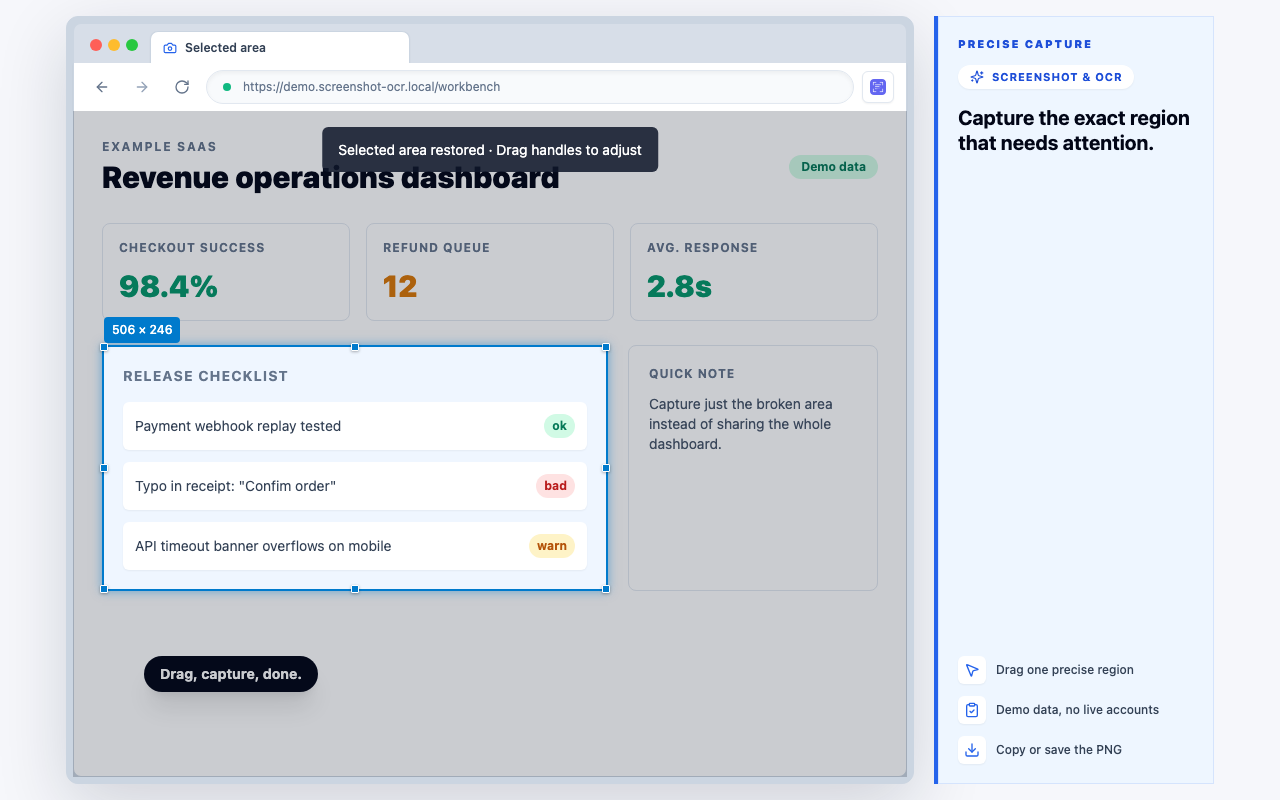
Capture any page region without leaving Chrome
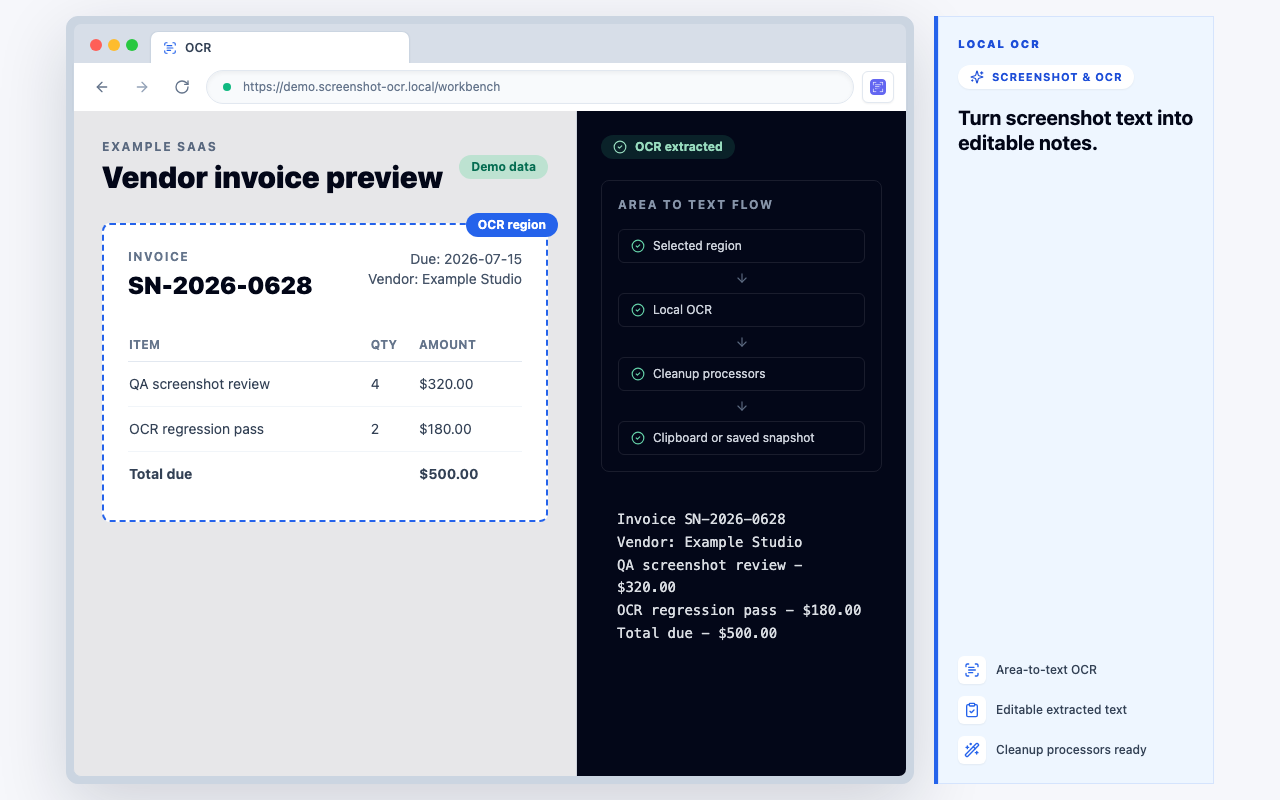
Extract copyable text from selected page areas
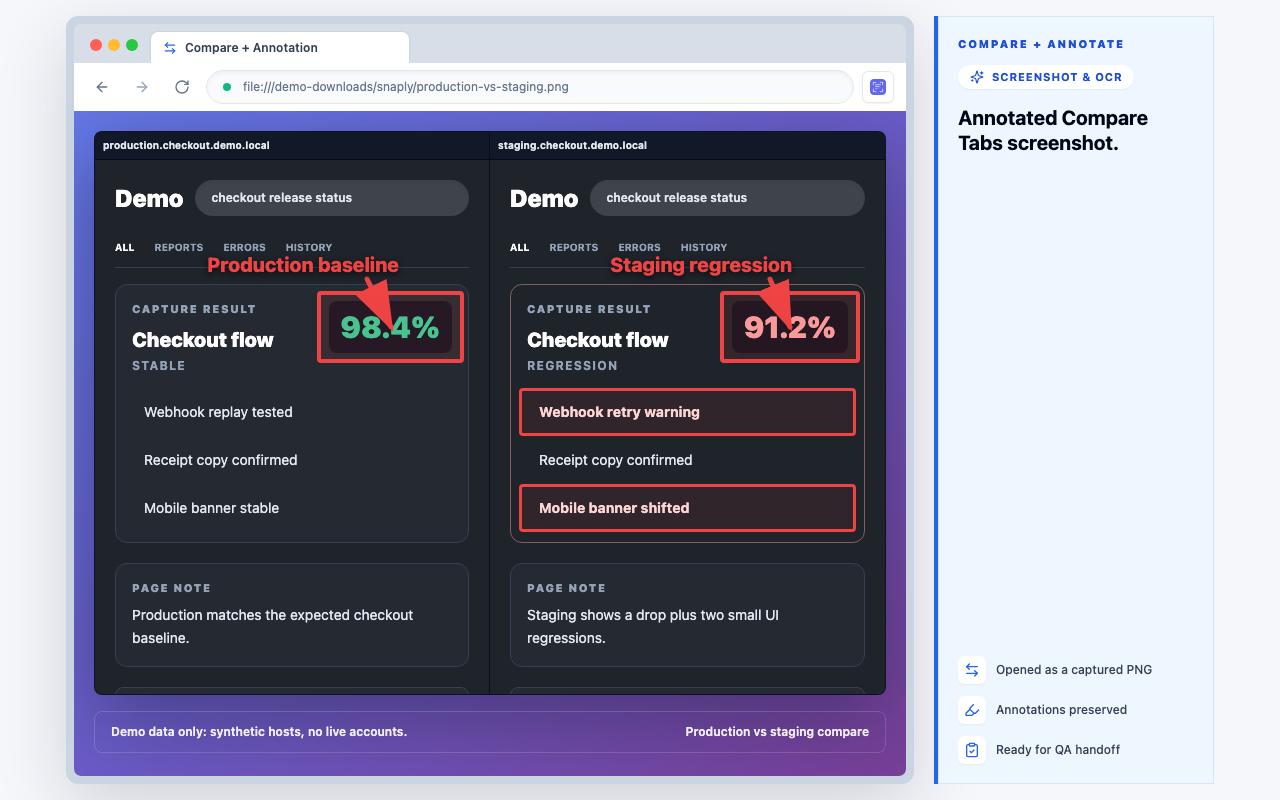
Annotate, compare, and hand off clearly
Screenshots, OCR, annotations, and text cleanup run locally. License checks only verify Pro status.
Features
- Raw URL editing mode
- Structured query param editor
- URL diff / change comparison
- One-click tracking param removal (UTM, gclid, fbclid)
- Quick actions: force HTTPS, sort query, lowercase host
- Keyboard shortcuts for power users

Edit any URL as plain text with live validation
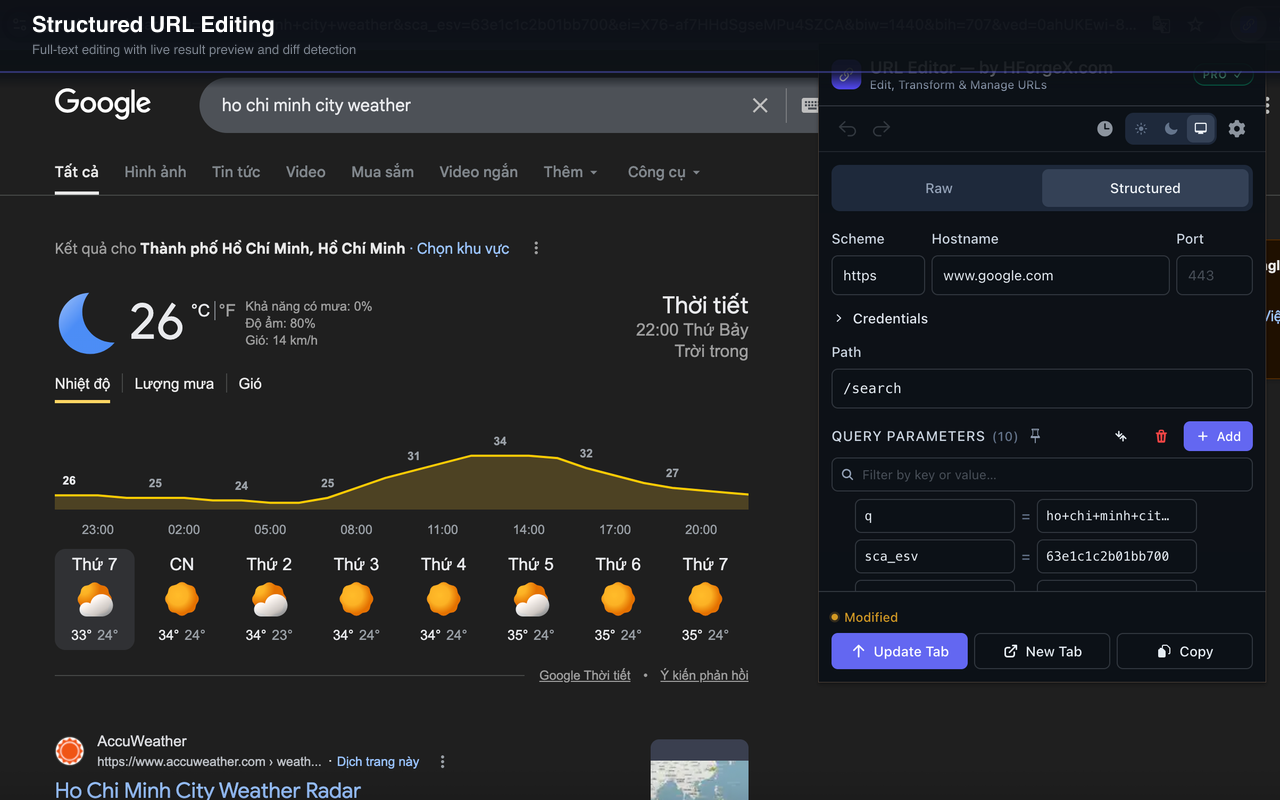
Structured mode: edit each URL component individually
100% local. No data sent to any server.
What You Can Expect From Every HForgeX Labs Tool
Local-First by Default
HForgeX Labs tools are designed to keep screenshots, OCR results, URLs, and workflow data on your device whenever possible.
Focused Tools, Not Bloated Suites
Each extension is built around a narrow job to be done, so you get fast workflows and clear interfaces instead of feature overload.
No Account Required
Install from the Chrome Web Store, use the free tier immediately, and upgrade only when a tool proves useful in your workflow.